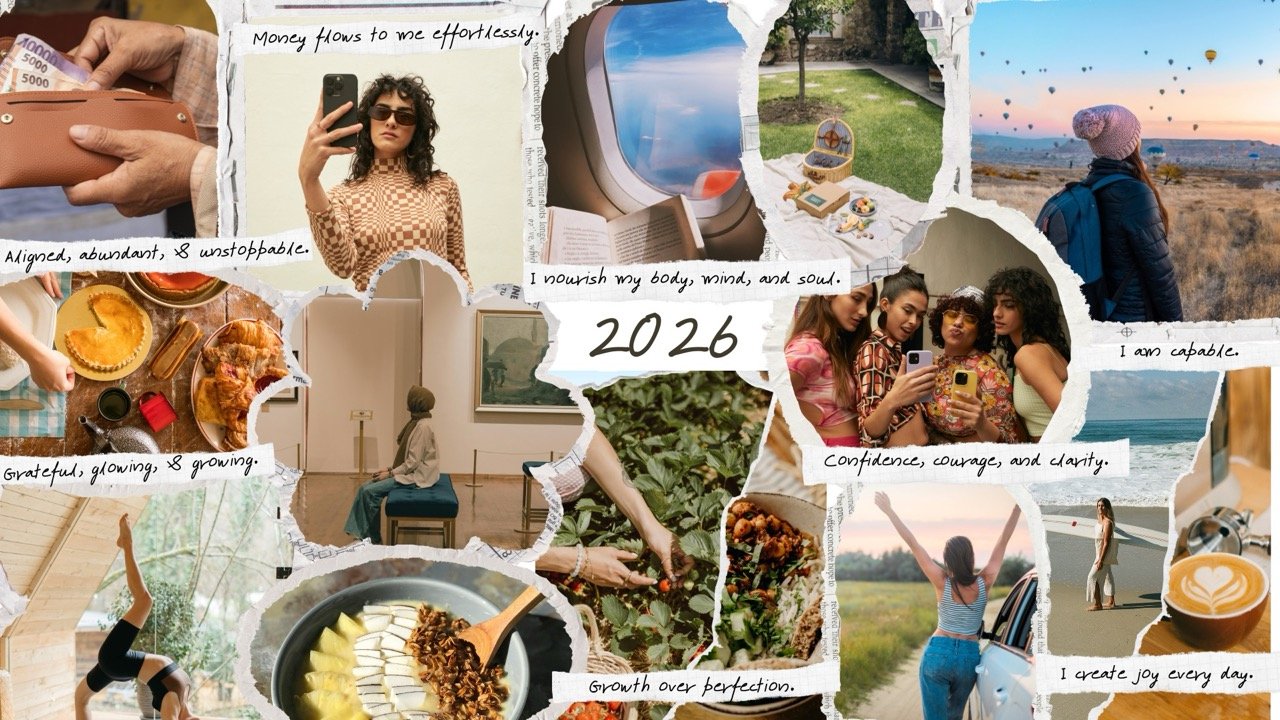
How to Make a Vision Board on Canva (2026 Guide)
If you want a beautiful and highly customizable way to visualize your goals, learning how to make a vision board on Canva is one of the easiest and most creative options.
Canva provides ready templates, high quality images, and an intuitive drag and drop editor that helps you design a professional digital vision board in minutes.
Whether your 2026 goals include career success, financial growth, fitness, love, or personal transformation, Canva gives you all the tools you need to bring your dreams into a visual format.
Why create a vision board on Canva?
Canva is perfect for digital vision boards because it combines design freedom with user friendly tools.
You can choose from thousands of images, upload your own photos, add affirmations, use aesthetic fonts, and shape your vision board exactly the way you want.
It works on desktop, iPhone, iPad, and Android, so your vision board stays with you no matter where you are.
Unlike physical boards, Canva makes updating your goals simple and fast.
Step 1: Define your 2026 intentions
Before you open Canva, take a moment to reflect on your goals for 2026.
Think about what you want to improve or attract in the next twelve months.
Consider categories like career, money, relationships, travel, health, home, lifestyle, creativity, and personal growth.
Write your intentions in a notebook or the Notes app.
This clarity will guide your design choices once you start building your digital vision board.
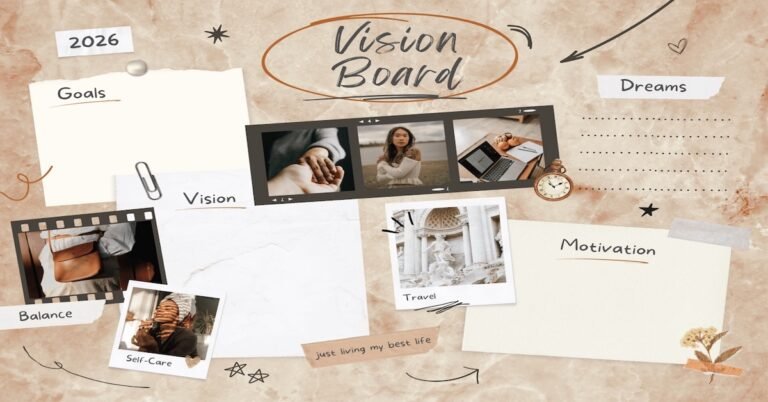
Step 2: Open Canva and select a template
Go to Canva.com or open the Canva app.
In the search bar, type vision board.
Canva will show you many free and premium templates with different themes such as aesthetic, minimalist, bold, pastel, modern, or collage style.
Choose a template that matches the vibe you want.
If you prefer full control, you can start with a blank canvas and build everything from scratch.
Most people choose the Instagram post size or desktop wallpaper size for better visibility.
Step 3: Collect images that match your goals
A vision board is only as powerful as the images on it.
Search within Canva’s photo library using keywords like:
- dream career
- travel inspiration
- healthy lifestyle
- financial abundance
- aesthetic home
- positive affirmations
- self care goals
You can also upload your own images, screenshots, or personal milestones.
Personal photos make your Canva vision board feel more connected to your real life.
The goal is to choose visuals that emotionally resonate with your 2026 dreams.
Step 4: Place your images on the template
Drag your selected photos into the template.
Arrange them in a way that feels balanced and inspiring.
Canva lets you crop, resize, rotate, and reposition photos easily.
You can also adjust brightness and add filters for a unified aesthetic.
Many users like to group similar themes together, such as money images on one side and health images on another.
Step 5: Add affirmations and positive statements
Affirmations are a powerful part of any vision board.
Use Canva’s text tool to add motivational words and phrases such as:
- I attract success
- My goals are becoming reality
- I am open to new opportunities
- I choose healthy habits
- Money flows to me easily
Choose clean and readable fonts.
Canva offers hundreds of aesthetic typography options, so you can customize your board to match your style.
Color coding your affirmations can make your board even more visually engaging.
Step 6: Create sections for each life area
If your board feels too crowded, divide it into clear sections.
Canva elements such as grid layouts, frames, shapes, and lines help you structure your digital vision board.
You can create sections for:
- Career and business goals
- Financial intentions
- Love and relationships
- Travel dreams
- Health and fitness
- Home and lifestyle
- Personal development
Organization makes your board easier to understand and more enjoyable to revisit every day.
Step 7: Personalize with colors, icons, and design elements
Canva offers stickers, illustrations, icons, textures, gradients, and shapes you can add to enhance your board.
Use colors that reflect your energy for 2026.
Soft pastels create a calm aesthetic while bold colors convey strength and motivation.
Add small icons like stars, hearts, arrows, or checkmarks to highlight important goals.
Step 8: Download your digital vision board
Once your board feels complete, click Download.
Choose PNG for high quality or JPEG for lighter size.
Many people use their Canva vision board as:
- desktop wallpaper
- iPhone or Android wallpaper
- tablet home screen
- printout for their desk or bedroom
Seeing your goals daily is one of the most effective ways to stay aligned with your intentions.
Step 9: Update your board as the year evolves
Your 2026 goals will grow and change.
The beauty of a digital vision board on Canva is that you can edit it anytime.
Add new images, replace outdated goals, or create monthly and quarterly versions.
Consistent updates keep your board fresh and relevant.
Learning how to make a vision board on Canva gives you full creative freedom to design your future exactly the way you imagine it.
With easy tools, beautiful templates, and endless inspiration, Canva is the perfect platform for building a digital vision board for your 2026 goals.
Start today, choose a template you love, and design a visual map that motivates you every day.